

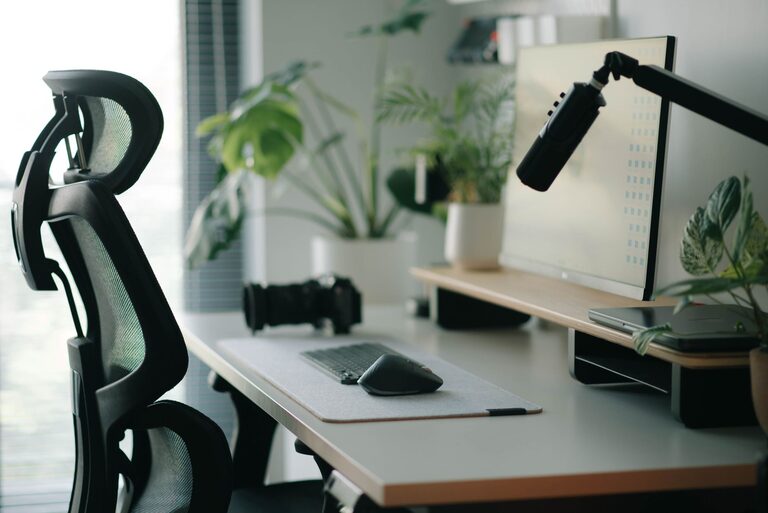
Creating an effective desk setup can make a significant difference in your ability to focus and stay comfortable throughout the day. Whether you work from home or in an office, having a well-organised and ergonomically designed workspace supports productivity and wellbeing. In this post, we’ll explore practical tips to help you arrange your desk for both comfort and concentration.
Why a Thoughtful Desk Setup Matters
Your workspace impacts more than just physical comfort; it influences your mindset and how well you can concentrate. A cluttered or uncomfortable desk can lead to distractions, fatigue, and even physical discomfort like back or neck pain. Conversely, a tidy and ergonomic setup encourages better posture, reduces strain, and fosters a clearer mental state.
Essential Elements of a Focus-Friendly Desk Setup
1. Choose the Right Desk and Chair
Selecting furniture that fits your body and work style is fundamental.
– Desk Height: Aim for a desk height where your elbows form approximately a 90-degree angle when typing or writing. Standard desks are often around 73 cm tall, but adjustable desks offer more flexibility.
– Chair Support: Invest in an adjustable chair with good lumbar support to maintain the natural curve of your spine.
– Foot Position: Your feet should rest flat on the floor or on a footrest. Avoid letting your legs dangle.
2. Position Your Screen Correctly
Your monitor placement plays a huge role in reducing eye strain and neck discomfort.
– Place the screen at eye level or slightly below, about an arm’s length away.
– The top of the screen should be roughly at or just below your eye height to encourage a neutral neck position.
– Use a monitor stand or adjustable arm if necessary to achieve the correct height.
3. Optimise Lighting
Good lighting helps prevent eye strain and keeps you alert.
– Use natural light where possible, but avoid glare on your screen.
– Position your desk perpendicular to windows rather than directly facing or with your back to them.
– Consider a desk lamp with adjustable brightness for task lighting, especially for late hours.
4. Keep Essentials Within Reach
Avoid stretching or leaning frequently by organising your desk efficiently.
– Place frequently used items like pens, notepads, or your phone within easy reach.
– Utilise desk organisers or trays to keep smaller items tidy but accessible.
– Keep your workspace clear of non-essential clutter to maintain focus.
5. Integrate Cable Management
Tidy cables reduce distractions and improve safety.
– Use cable clips, sleeves, or under-desk trays to keep wires organised.
– Label cables if you have multiple devices to identify them quickly.
– Wireless peripherals can help reduce the number of cables on your desk.
Comfort and Wellbeing Tips
1. Take Regular Breaks
No desk setup can replace the benefits of movement.
– Follow the 20-20-20 rule: every 20 minutes, look at something 20 feet away for at least 20 seconds.
– Stand up and stretch or take a short walk to relieve muscle tension.
2. Use Ergonomic Accessories
Small additions can make a big difference.
– A wrist rest can support your hands while typing.
– A seat cushion or lumbar roll can improve chair comfort.
– Consider a standing desk converter for alternating between sitting and standing.
3. Personalise Your Space
A workspace that feels inviting encourages you to spend time there.
– Add plants to improve air quality and provide a calming effect.
– Use colours and decor that help you feel relaxed but alert.
– Keep a water bottle handy to stay hydrated.
Maintaining Your Desk Setup
Regularly review your desk environment.
– Declutter at the end of each day to start fresh the next morning.
– Adjust chair and screen height if you notice discomfort.
– Keep cleaning supplies nearby to maintain a hygienic space.
Final Thoughts
A well-planned desk setup combines ergonomics, organisation, and personal touches to create an environment where focus and comfort go hand in hand. By considering furniture, screen position, lighting, and accessories, you can design a workspace that supports your productivity and wellbeing every day. Remember, the best setup is one tailored to your individual needs and habits, so don’t hesitate to experiment until you find what works best for you.