

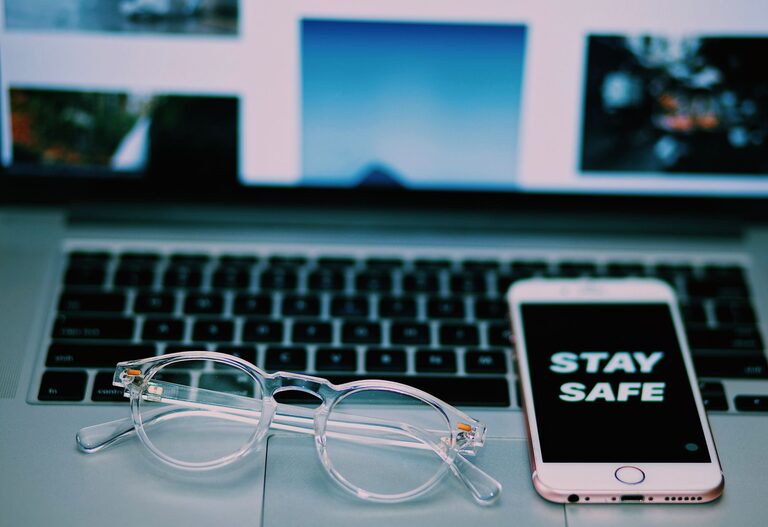
In our everyday lives, we constantly handle devices like phones and keyboards, which can easily accumulate dirt, oils, and germs. Cleaning these items regularly is important not only to maintain their appearance but also to ensure they function well and remain hygienic. However, it’s essential to clean them safely to avoid damage. This guide offers practical, easy-to-follow advice on how to clean your phone and keyboard effectively and safely.
Why Clean Your Phone and Keyboard?
Phones and keyboards are among the most frequently touched objects. They often collect dust, oils from skin, food particles, and bacteria. Without regular cleaning:
– Devices may become sticky or sluggish.
– Dirt can cause keys to stick or screen responsiveness to drop.
– Germs can accumulate, potentially affecting your health.
Cleaning these devices helps extend their lifespan and promotes a healthier environment.
General Precautions Before Cleaning
Before you start, keep these important points in mind:
– Always switch off your device and disconnect it from power sources.
– Remove any cases or covers.
– Use only recommended cleaning materials – avoid harsh chemicals.
– Do not spray liquids directly onto your device.
– Use gentle motions to avoid damaging sensitive parts.
How to Clean Your Phone Safely
What You’ll Need
– A soft, lint-free microfiber cloth
– Cotton swabs or soft-bristled brush
– Distilled water
– Isopropyl alcohol (70% or less concentration)
– Small spray bottle (optional)
– Toothpicks (for crevices)
Step-by-Step Phone Cleaning
- **Turn off your phone** and unplug all cables.
- **Remove your phone case and clean it separately** with soap and water, then dry it completely.
- **Prepare a cleaning solution** by mixing equal parts distilled water and isopropyl alcohol in a spray bottle. Alternatively, use alcohol wipes approved for electronics.
- **Lightly dampen the microfiber cloth** with your solution (never soak it).
- **Wipe your phone’s screen and body gently.** Avoid excessive pressure, especially on the screen.
- **Use cotton swabs to clean small openings** such as around the camera, charging port, and buttons. Be gentle to avoid damage.
- **Use a dry cloth to buff the phone** and remove moisture.
- **Let your phone air dry thoroughly** before turning it back on or reconnecting cables.
Tips for Special Surfaces
– Phones with oleophobic (oil-repellent) coatings: Use gentle cleaning to preserve the coating.
– Waterproof phones: Even if your phone is water-resistant, avoid submerging it for cleaning.
– Avoid bleach, window cleaners, or abrasive materials.
How to Clean Your Keyboard Safely
What You’ll Need
– Soft microfiber cloth
– Compressed air canister
– Isopropyl alcohol (70% or less)
– Cotton swabs
– Small brush (optional)
– Mild dish soap (for detachable keys)
Step-by-Step Keyboard Cleaning
- **Turn off your computer or unplug your keyboard.**
- **Turn the keyboard upside down and gently shake** to dislodge loose debris.
- **Use compressed air** to blow dust and particles from between the keys.
- **Dampen a cloth with isopropyl alcohol** and gently wipe the top surfaces of the keys and keyboard body.
- **Use cotton swabs dipped in alcohol** to clean around key edges and hard-to-reach areas.
- **For mechanical or detachable keyboards**, remove keys carefully (if you know how) and soak them in warm, soapy water. Dry them thoroughly before reattaching.
- **Avoid excess moisture** throughout the cleaning process to prevent damage.
Additional Keyboard Care Tips
– Clean your keyboard regularly to prevent buildup.
– Avoid eating over your keyboard to reduce crumbs and sticky residues.
– Keep liquids away from your keyboard to prevent spills.
Maintaining Clean Devices Daily
– Wash your hands before using tech devices.
– Wipe your phone and keyboard with a microfiber cloth every few days.
– Use covers or skins for added protection and easier cleaning.
– Consider screen protectors that can be cleaned or replaced easily.
When to Seek Professional Cleaning
If your device has sticky keys that don’t respond after cleaning, or if liquid has seeped inside, it may be time to consult a professional technician. Avoid attempting deep cleaning or repairs yourself, as this can sometimes cause more harm.
Final Thoughts
Regular cleaning of your phone and keyboard is simple and essential. It not only keeps your devices looking good but also ensures they operate smoothly and reduces germs. By following the safe methods outlined in this guide, you can maintain your gadgets effectively without risking damage. Make cleaning a part of your routine, and your devices will thank you with better performance and longevity!